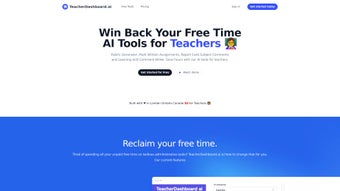

Download TeacherDashboard – AI‑Powered Administrative Tool for Educators
Introduction
In today’s fast‑moving classroom environment, teachers are constantly juggling lesson planning, student engagement, and a mountain of paperwork. From creating detailed rubrics to drafting personalized report‑card comments, the administrative load can quickly eclipse the time available for actual instruction. TeacherDashboard arrives as a web‑based, AI‑driven solution designed to streamline those repetitive tasks, giving educators back valuable minutes—and even hours—each week. Built to run entirely in the browser, the platform eliminates the need for bulky installations and guarantees that updates roll out automatically, keeping the software secure and current without any manual effort. Whether you teach elementary, middle, or high school, TeacherDashboard adapts to a wide range of subjects, assessment styles, and curriculum standards, making it a versatile ally for any educator seeking a smoother, more efficient workflow.
Compatibility is a cornerstone of TeacherDashboard’s design. The application works on any modern web browser, supporting Windows 10/11, macOS Ventura and later, Linux distributions, Chrome OS, iOS 13+, and Android 8+. No additional plugins or extensions are required; simply launch Chrome, Firefox, Safari, or Edge and you’re ready to start automating your grading tasks.
Beyond the technical specs, TeacherDashboard emphasizes data security. All information—rubrics, grades, comments, and student identifiers—is encrypted both in transit and at rest, complying with FERPA and GDPR regulations. Role‑based access controls let schools define who can view or edit specific data, ensuring that only authorized personnel handle sensitive student records. By marrying robust security with intuitive, cloud‑based access, TeacherDashboard offers a trustworthy platform that fits seamlessly into the daily rhythm of modern schools.
Core Features That Transform Teaching
- Rubric Generator: Input learning objectives and let the AI craft detailed rubrics with criteria, weightings, and descriptive levels, all editable to match your grading philosophy.
- AI‑Assisted Marking: Upload student essays or short answers; the system compares submissions against the rubric, highlights strengths and gaps, and suggests scores.
- Report Card Comment Writer: Generate personalized comments for each student in seconds, drawing on performance data, behavior notes, and skill development.
- Learning Skill Insights: The AI analyses class‑wide trends, flagging common misconceptions and offering recommendations for targeted reteaching.
- Secure Cloud Storage: All rubrics, grades, and comments are saved securely in the cloud, accessible from any device with an internet connection.
- Collaboration Mode: Share rubrics or comment drafts with department colleagues for peer review and consistency across courses.
- Continuous Updates: New AI models and educational templates are rolled out automatically, ensuring the tool stays current with best practices.
Each feature is built around the teacher’s workflow. For example, the Rubric Generator reduces the average time to create a rubric from 20‑30 minutes to under two minutes, while the AI‑Assisted Marking tool can cut grading time by up to 60 %. The Comment Writer doesn’t simply spit out generic phrases; it pulls from each student’s performance data to produce authentic, growth‑focused feedback.
Because everything lives in the cloud, there’s no need for local backups, and version control is handled automatically. The Collaboration Mode encourages departmental consistency, allowing teams to co‑author rubrics and share best‑practice comment templates. In practice, schools that have adopted TeacherDashboard report a measurable boost in instructional time, as teachers spend less time on paperwork and more on lesson planning, differentiation, and one‑on‑one student support.
Beyond the headline features, TeacherDashboard also offers subtle but powerful tools such as bulk import/export of rubrics (CSV, Excel, Google Sheets), SSO integration with Google Workspace and Microsoft Azure AD, and an API that connects directly to popular LMS platforms like Canvas, Google Classroom, and Moodle. These integrations mean you can sync assignments, grades, and comments without leaving your existing digital ecosystem. The platform’s AI models are continuously refined through anonymized usage data, ensuring that suggestions become more accurate and context‑aware over time. Whether you’re a tech‑savvy early adopter or a teacher who prefers a simple, click‑and‑go experience, TeacherDashboard scales to meet your needs while maintaining a clean, distraction‑free interface.
Installation & Usage – Getting Started in Minutes
Because TeacherDashboard is a fully web‑based solution, the onboarding process is essentially frictionless. Follow these steps to launch the tool and start saving time right away:
- Create an Account: Visit the official TeacherDashboard website, click “Sign Up,” and provide your professional email address. A verification link will be sent to confirm your identity.
- Select a Subscription Plan: Choose between a monthly or discounted annual plan. Both options grant unlimited access to AI features, cloud storage, and priority support.
- Configure Your Profile: Enter basic details such as school name, grade levels, subjects taught, and any district‑specific standards. This information helps the AI tailor its recommendations.
- Import or Build Rubrics: Drag‑and‑drop existing rubric files (CSV, Excel, Google Sheets) or let the Rubric Generator create new ones from scratch. Every rubric is fully editable before you save it to your cloud library.
- Connect Your LMS (Optional): Use the built‑in API connectors to sync assignments and grades with Canvas, Google Classroom, Moodle, or other platforms. This eliminates duplicate data entry.
- Start Grading: Upload student work directly into the Marking module or enable automatic import from your LMS. The AI‑Assisted Marking engine will analyze each submission against the selected rubric and propose scores.
- Generate Report‑Card Comments: After grading, click “Create Comments.” The system will produce a set of personalized remarks for each student, which you can edit or accept as‑is before exporting to your school’s gradebook.
The user interface is intentionally minimalist: a left‑hand navigation pane provides instant access to Rubrics, Marking, Comments, Insights, and Settings. Real‑time previews let you see exactly how a rubric or comment will appear before finalizing. Because the application runs in the browser, you can seamlessly switch between a desktop computer in the staffroom, a tablet during a planning period, or a smartphone while on the go—your work is always saved in the cloud.
For districts with strict data policies, TeacherDashboard supports Single Sign‑On (SSO) via Google or Microsoft Azure AD and offers audit logs for compliance tracking. Should you ever need assistance, an in‑app help center, live chat, and a library of step‑by‑step video tutorials are available 24/7. In short, the platform is engineered to let teachers focus on teaching, not troubleshooting.
Conclusion, Pros & Cons, Frequently Asked Questions & Call to Action
Pros
- Significant time savings on rubric creation, grading, and comment writing.
- AI models continuously improve, delivering increasingly accurate feedback.
- Cloud‑based access ensures work is available from any device, anywhere.
- Secure, FERPA‑ and GDPR‑compliant data handling protects student privacy.
- Collaboration features promote departmental consistency and shared best practices.
Cons
- Requires a reliable internet connection; offline mode is not available.
- Subscription cost may be a barrier for some independent educators.
- AI‑generated suggestions sometimes need manual tweaking to match a teacher’s voice.
Frequently Asked Questions
Is TeacherDashboard secure for student data?
Yes. The platform follows FERPA and GDPR guidelines, encrypts data in transit and at rest, and offers role‑based access controls to ensure only authorized personnel can view sensitive information.
Can I import existing rubrics?
Absolutely. TeacherDashboard supports CSV, Excel, and Google Sheets imports, allowing you to migrate legacy rubrics with ease.
How does the AI grading handle subjective essays?
The AI evaluates essays against the rubric criteria you define, focusing on evidence, organization, and language use. While it provides a suggested score, teachers retain final authority to adjust grades based on nuanced judgment.
Is there a free trial available?
Yes. TeacherDashboard offers a 14‑day free trial with full feature access, so you can test the AI tools before committing to a subscription.
Can TeacherDashboard integrate with my school’s LMS?
Integration is available for popular LMS platforms such as Canvas, Google Classroom, and Moodle via API connections, enabling seamless import of assignments and export of grades.
Final Verdict & Call to Action
TeacherDashboard delivers a compelling blend of AI efficiency and educational sensitivity, turning hours of administrative work into minutes. By automating rubric creation, grading, and report‑card commentary, it empowers teachers to focus on instruction and student growth. While a stable internet connection and subscription fee are required, the measurable productivity gains and robust security make the investment worthwhile for most schools and individual educators. Ready to lighten your workload and enrich classroom interaction? Download TeacherDashboard now, start your free trial, and discover how AI can transform your teaching routine today.
Pros: Time‑saving, cloud‑based, FERPA‑compliant, strong collaboration, continuously improving AI.
Cons: Requires internet, subscription cost, occasional manual tweaking of AI output.



.png)



